



Answer in brief
There is no single best site for every job seeker in India. Pick two based on your role and location, then use a focused application plan rather than applying everywhere.
LinkedIn, Naukri and Indeed serve different parts of a job search in India. Start with two: LinkedIn and Naukri for many metro-based software or senior roles; Naukri and Indeed when you need a wider search across locations and role types. The best pair is the one producing relevant vacancies and credible conversations for you.
Which Two Job Sites Should You Prioritize in India?
Choose two job sites that give you different routes to an employer, rather than maintaining three neglected profiles. The combinations below are starting points to test, not measured response-rate rankings. Search your exact role and city on each site before committing your time.
Your search | Start with | Why test this pair |
Software engineer, 3+ years, Bengaluru, Hyderabad or Pune | LinkedIn + Naukri | Combine professional outreach with a searchable recruiter-facing résumé. |
IT services or operations, open to several Indian cities | Naukri + Indeed | Compare recruiter discovery with a broader vacancy search. |
Senior product, engineering leadership or specialist role | LinkedIn + Naukri | Use professional connections while remaining discoverable to recruiters. |
Fresher or first internship | LinkedIn + Indeed | Find entry-level listings and check employers' own careers pages; campus hiring may be more relevant than either site. |
Remote or contract search | Indeed + LinkedIn | Compare listing coverage with direct employer and recruiter contact. |
For a niche skill, swap one site if your first searches return mostly irrelevant jobs. Freshers should also check college placement channels and employer careers pages. No job board covers every campus programme.
What Do Platform Reach Numbers Actually Tell You?
Platform reach shows scale, not your chance of getting a reply. Moneycontrol reported in 2026 that LinkedIn had about 167 million members in India. Info Edge's May 2025 presentation put Naukri's résumé database at about 106 million as of March 31, 2025. Indeed's hiring resource cites more than 350 million monthly unique visitors *globally*, using a 2023 to 2024 average.
Those figures count different things: members, stored résumés and worldwide visitors. They cannot be ranked as Indian job openings, active candidates or application success rates. Use them as context, then compare the number of relevant, recent jobs you can verify for your own search.
How Should You Apply on LinkedIn, Naukri and Indeed to Improve Your Chances?
A relevant application is more useful than a large batch of identical applications. Quick-apply options reduce the time needed to submit, but they do not remove the need to show why you fit. LinkedIn offers application routes that may include applying on the company site, and its Help page describes limits intended to curb excessive applications. Do not plan around a fixed daily allowance; check what your account shows.
For a role you particularly want, read the employer's careers page, confirm the job is still open and tailor your résumé to the stated requirements. Use a quick-apply route when the listing is credible and your profile already makes the match obvious. On Naukri, keep your résumé, skills and preferred locations accurate so a recruiter can understand your fit. On Indeed, check whether an employer-posted version of a listing provides clearer requirements before applying.
After applying, send one short, specific message when you can identify an appropriate contact. Do not assume every recruiter accepts unsolicited messages. If your résumé is not getting through initial reviews, work through these shortlisting fixes before increasing application volume.
How Can You Set Up Each Site Without Inviting Unwanted Contact?
Set up each site with an accurate profile, deliberate visibility choices and a way to check suspicious messages. The controls and menu labels can change, so use the sites' official help centres when you cannot find a setting.
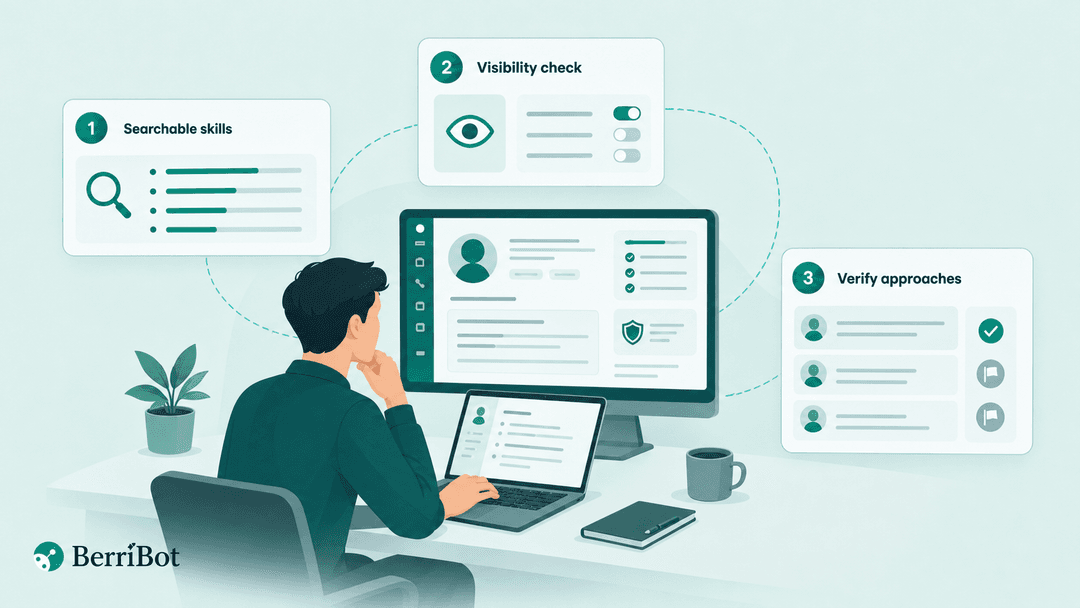
1. Make Your Skills Searchable
Make your skills searchable by using the job titles and tools employers actually name. On LinkedIn, update your headline, location and experience. On Naukri, check your résumé, key skills, preferred location and notice-period details. On Indeed, check your résumé and job preferences before using one-click applications. Keep dates and claims consistent across all three.
2. Check Who Can See Your Details
Check profile or résumé visibility before enabling recruiter discovery. Review LinkedIn's job-seeking visibility options in LinkedIn Help, Naukri's résumé and privacy settings through Naukri's job-seeker help, and Indeed's résumé privacy options in Indeed Support. More restrictive settings can reduce unsolicited contact, but they may also reduce recruiter discovery. Recheck visibility whenever you upload a new résumé.
3. Verify Every Unexpected Approach
Verify the employer, role and sender before sharing documents or moving a conversation to WhatsApp. Look for the vacancy on an official company site. Treat requests for interview fees, OTPs, bank details or identity documents early in the process as warning signs. Use each site's reporting or blocking controls, and consult the same official help centres if an account or listing looks suspicious.
A 30-minute first pass is enough to complete these three checks on your chosen two sites. Spend the next session improving applications, not repeatedly rewriting every profile field.
What Would a Seven-Day Plan Look Like for a Bengaluru Software Engineer?
A Bengaluru software engineer with three to six years of experience can test LinkedIn and Naukri for one week, then adjust based on *relevant replies*, not application count. Suppose you work with Java, Spring Boot and AWS. Use those terms only where they reflect work you can explain in an interview.
On days one and two, set a precise LinkedIn headline such as “Software Engineer | Java, Spring Boot, AWS | Bengaluru.” On Naukri, put the same proven skills in your résumé and key-skills fields, then check location and notice-period details. Search for backend roles with matching experience requirements.
On days three and four, choose ten relevant vacancies as a planning exercise, not a recommended quota: perhaps six applications through employer careers pages and four through quick-apply routes. Record the role, employer, source, application date, route and next action in a sheet. Send a message only where you have identified a relevant contact:
Hiring manager: “Hi [Name], I applied for the [Role] position. I have [X] years building Java and Spring Boot services, including [specific relevant result]. Is there a particular backend challenge your team needs this hire to solve?”
In-house recruiter: “Hi [Name], I applied for [Role] in Bengaluru. My experience with [required skill] matches [specific requirement]. I can share a concise project summary if useful.”
On days five to seven, check for replies and review any mismatches between your résumé and the roles you selected. Follow up once after a reasonable interval rather than sending daily reminders. If the search is too narrow, test Indeed for additional remote or contract listings. Treat the week's applications-to-replies ratio as your own baseline, not an industry benchmark.
How Does BerriTalent Fit Alongside Job Sites?
BerriTalent complements job sites by giving you a way to show verified skills to participating hiring partners. You register for free, take one adaptive Berri Certified interview, receive a tier and feedback, and can be matched with roles relevant to your skills. For technical roles, the interview can include live coding.
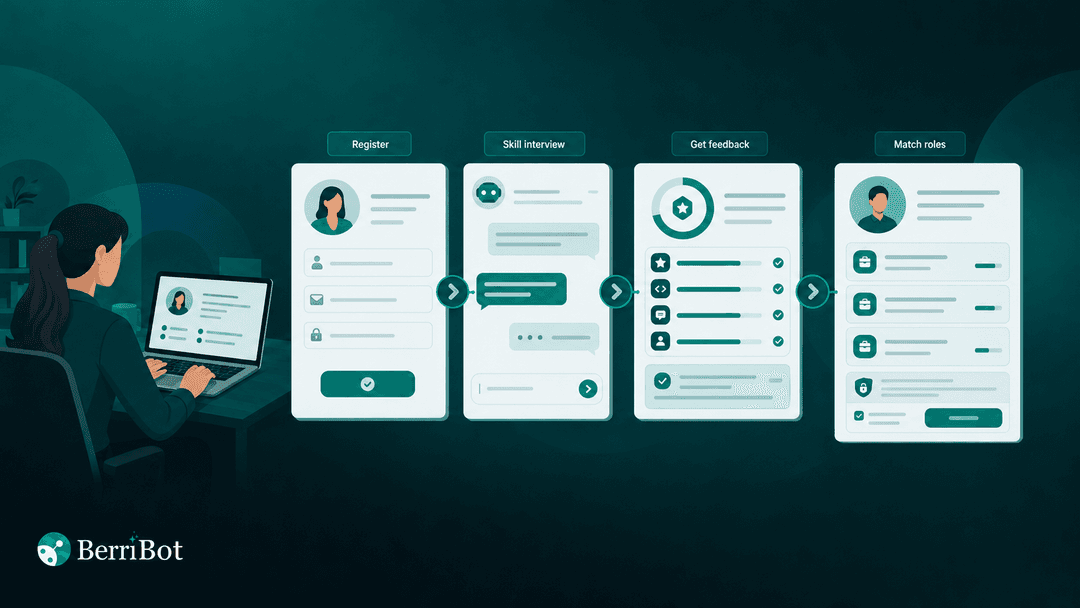
Gold and Silver certified profiles can be routed to hiring managers at matching partners, with the candidate told who the employer is before any interview. The certification is intended to stand in for repeat initial screens at participating employers; it does not guarantee an interview or offer. If you do not meet the certification bar, you receive feedback and can retake the interview after 30 days. Your certified profile is shared with matching hiring partners only if you agree at registration, and you can update or remove it.
What Should You Do After Choosing Your Two Sites?
Use LinkedIn, Naukri or Indeed to find credible roles, then review the quality of your applications and replies each week. If repeated initial screens are slowing your search, BerriTalent offers a separate, free route for presenting verified skills to matching hiring partners.
Interviews you can prove
Screening, interviews, and live identity verification in one platform. Built for high-volume technical hiring.
Book a demo